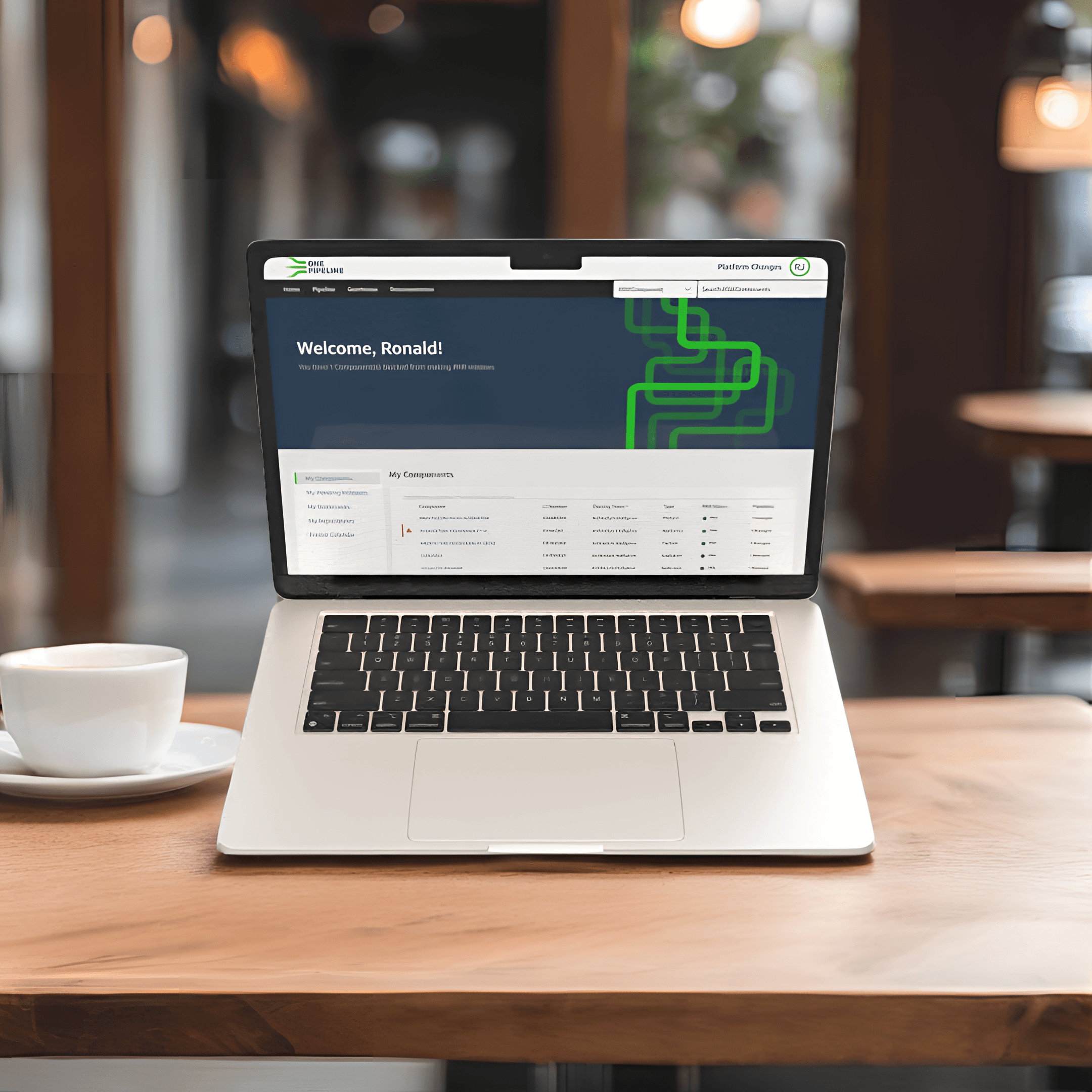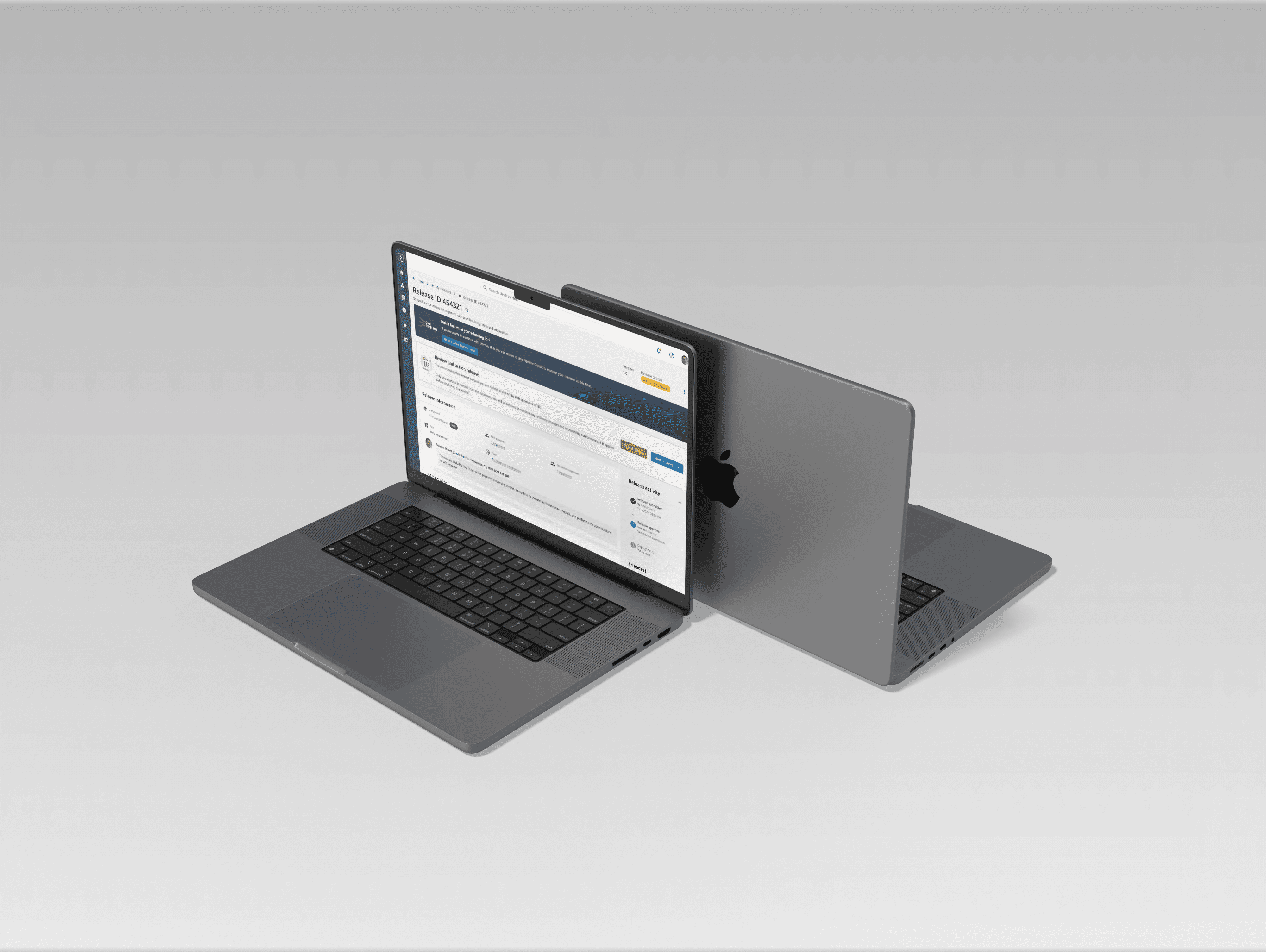
Streamlining release workflows, ensuring developers can quickly track deployments, approvals, and release statuses with ease.
Role:
UI/UX Designer
Industry:
Finance
Duration:
32 weeks
Problem
For engineers across our enterprise, managing releases is often unpredictable, fragmented, and inefficient. The current release management experience lacks the integration, visibility, and automation needed to support a seamless development workflow. At best, teams navigate a mix of disconnected tools and ad-hoc processes; at worst, they face delays, uncertainty, and unnecessary friction that slow down innovation.
Goal
Our challenge was to transform release management into a cohesive, intuitive experience—one that not only streamlines the process but also lays the foundation for a fully integrated development environment. By embedding robust release management practices into our IDE/IDP initiative, we are creating a platform that empowers developers with stability, efficiency, and confidence in every release.
Background & Hypothesis
Over the years, we have witnessed a sustained growth in tools and processes that support the Software Development Lifecycle (SDLC). While that growth may be great, it has created an ecosystem of disconnected, yet required tooling and platforms, forcing developers to constantly context shift throughout their work day.
At the end of the day, we believe our developers want to maintain flow state and limit the cognitive load in orchestrating processes over disconnected tools.
Why did this effort start?
At the start of the year 2024, one of the core initiates that our CEO had set was to improve the developer experience as a whole and start treating our internal developers the same way we treat our external customers. In March of the same year the Developer Experience team (DevX) begun socializing a project called the IDP (Internal Developer Platform) which was supposed to provide developers a one-stop shop for their development needs.
The key goal with this project is to "Automate everything but the creative problem solving in developing software." In the target state, developers will spend the majority of their time in two primary screens IDE and IDP.
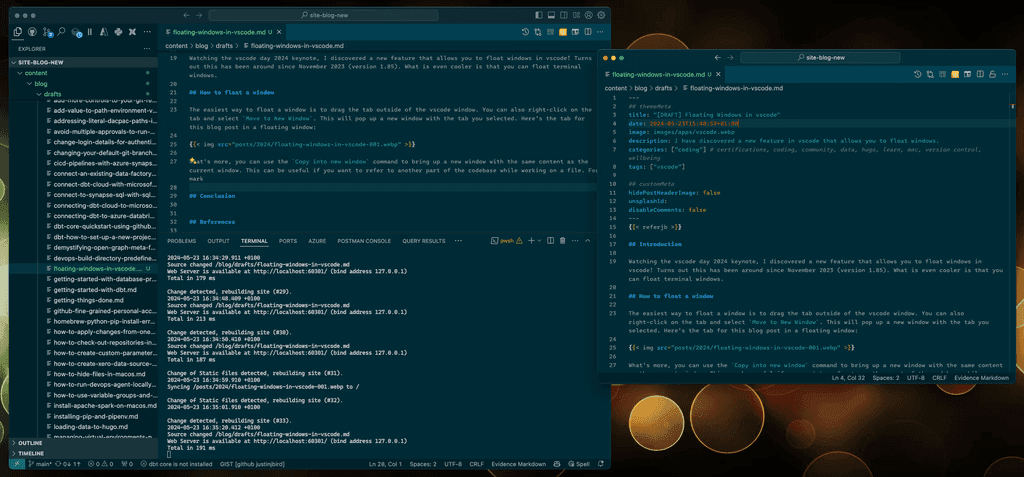
Previous Release Experience
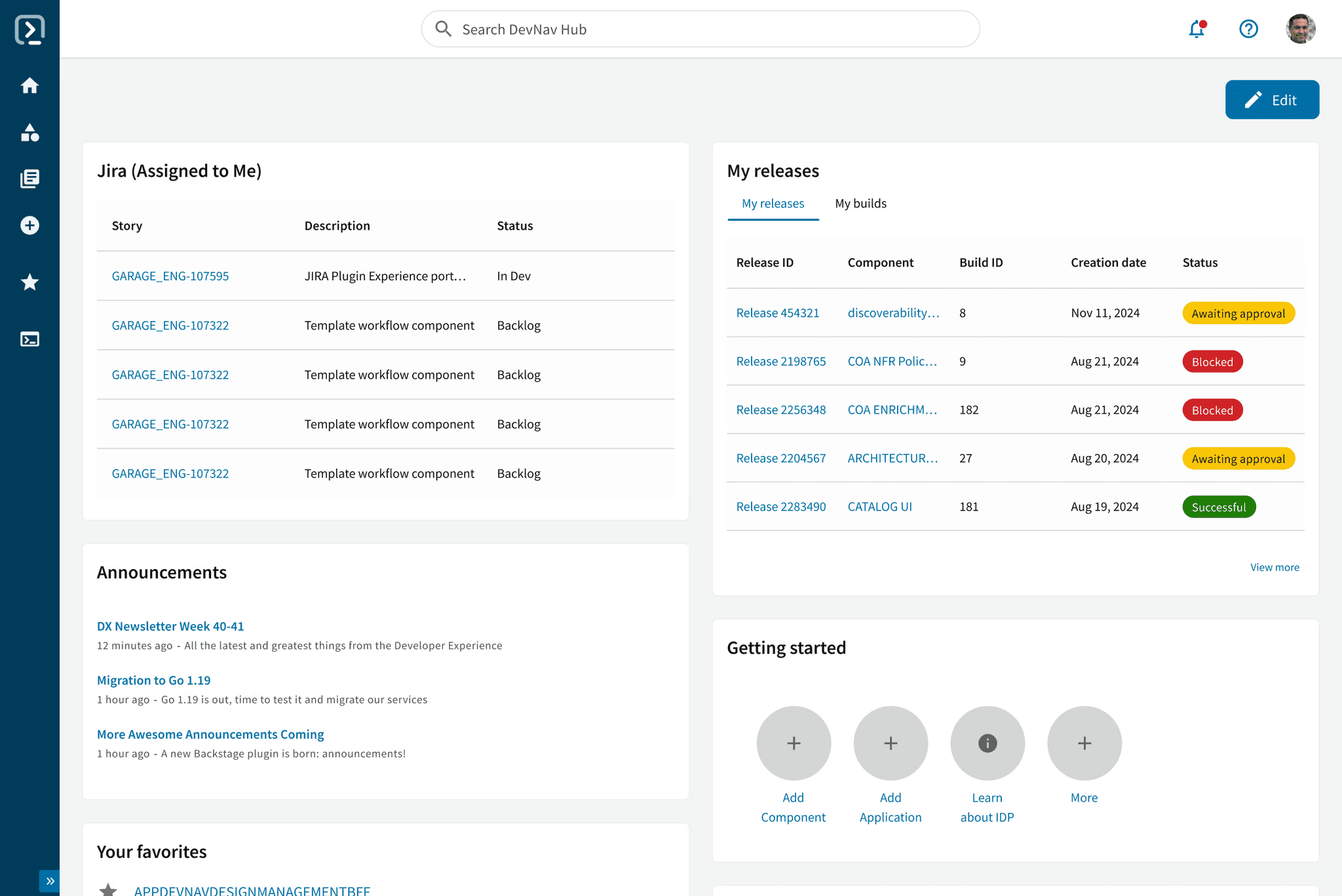
New Release Experience
The IDP serves to connect and consolidate tooling interfaces into a seamless experience across the SDLC.
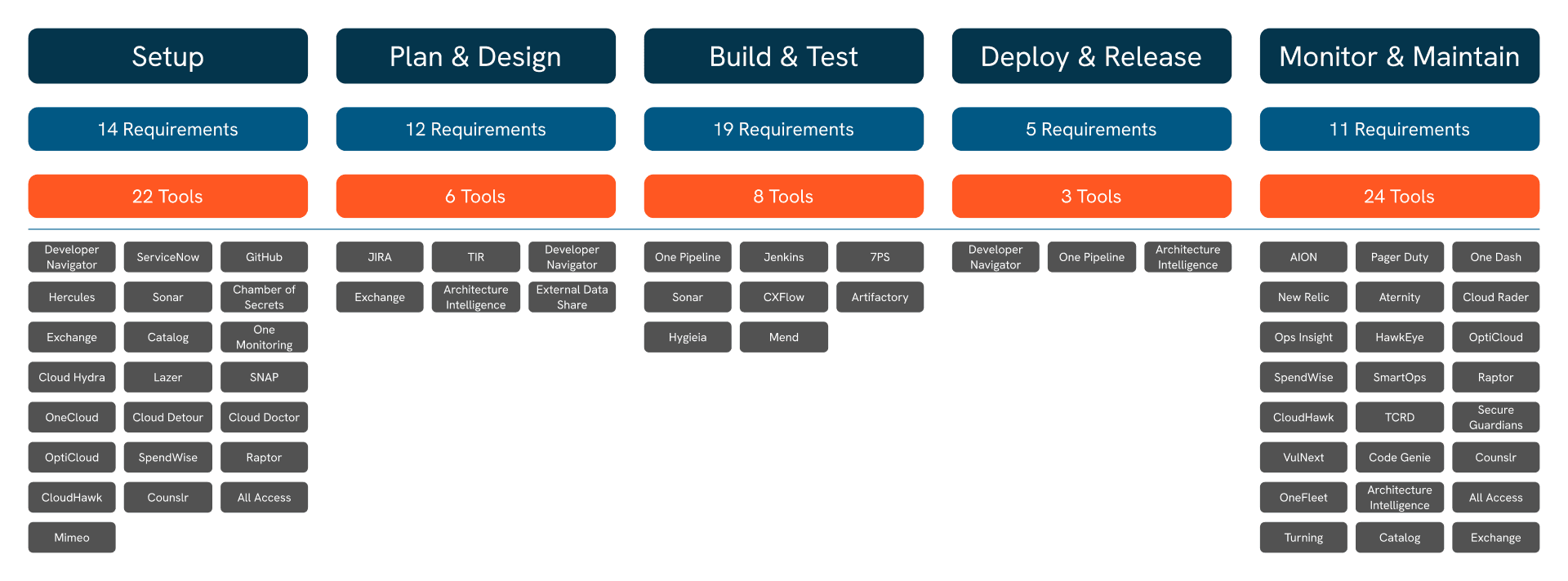
Tooling and platforms across the different phases within the Software Development Lifecycle (SDLC)
About 7 months of planning and execution, the IDP platform was stood up with mostly out of the box features. After much deliberation, planning, and a build vs. buy analysis, our leadership team decided that we should prioritize the Release Plugin.
The ability for developers to ship code is paramount to the developer workflow and thus critical for an end to end experience for the IDP. After working with our product partners, we were able to come up with an MVP experience definition for the capabilities and features the plugin should have upon release.
Understanding the Current State
To kickoff this work stream we wanted to do some sense making between the IDP Ideal, MVP, and current One Pipeline experiences for ICs, Approvers, and Escalators, our 3 sets of users.
Where do we start?
We wanted to get a better understanding how all of the systems worked so we had our product and engineering partners help walk us through the experiences for each of the primary personas.
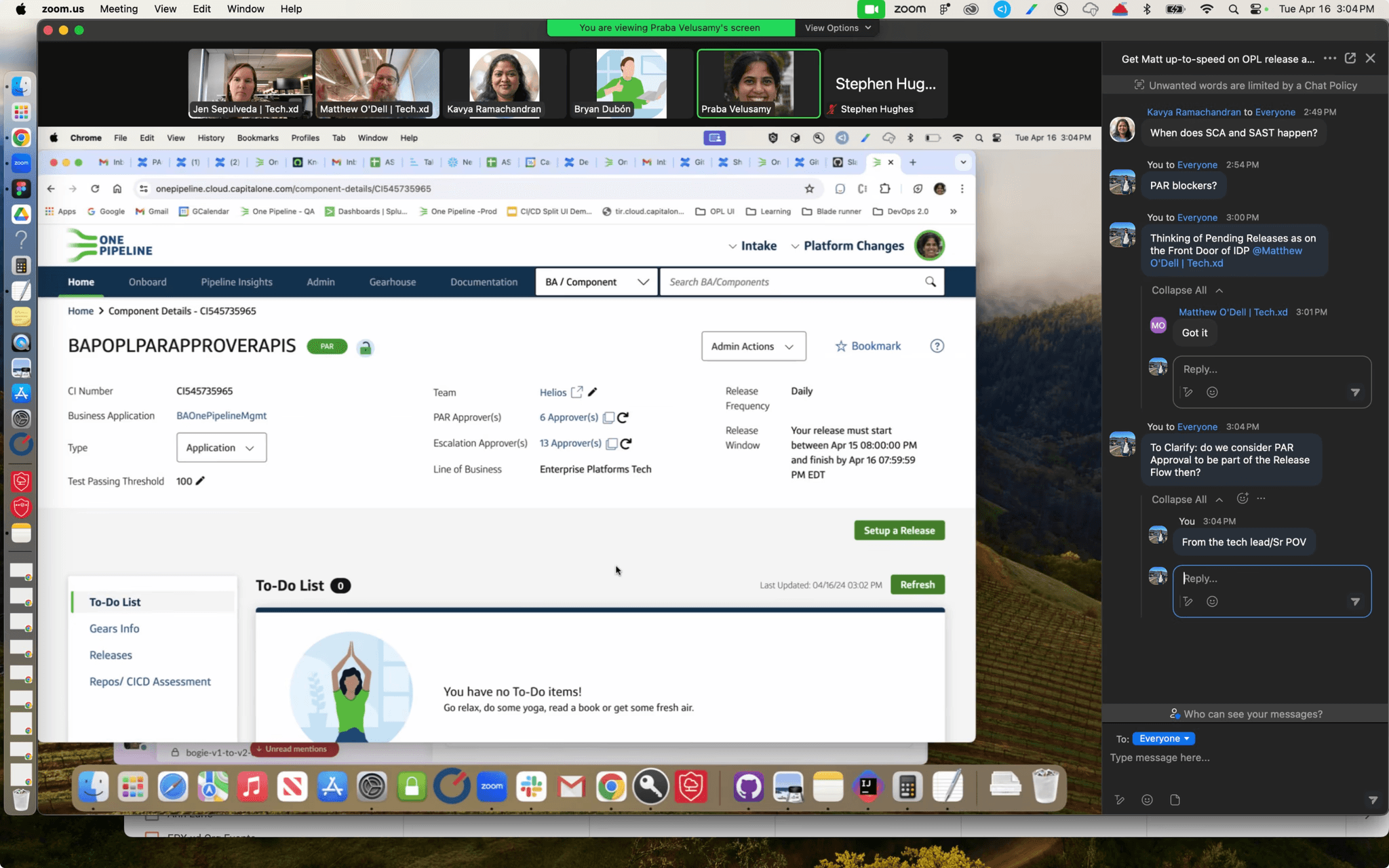
Zoom call with Product and Engineering partners
Over a period of about 2-3 days, we were able to better understand the OPL UI current state with regards to the release process.
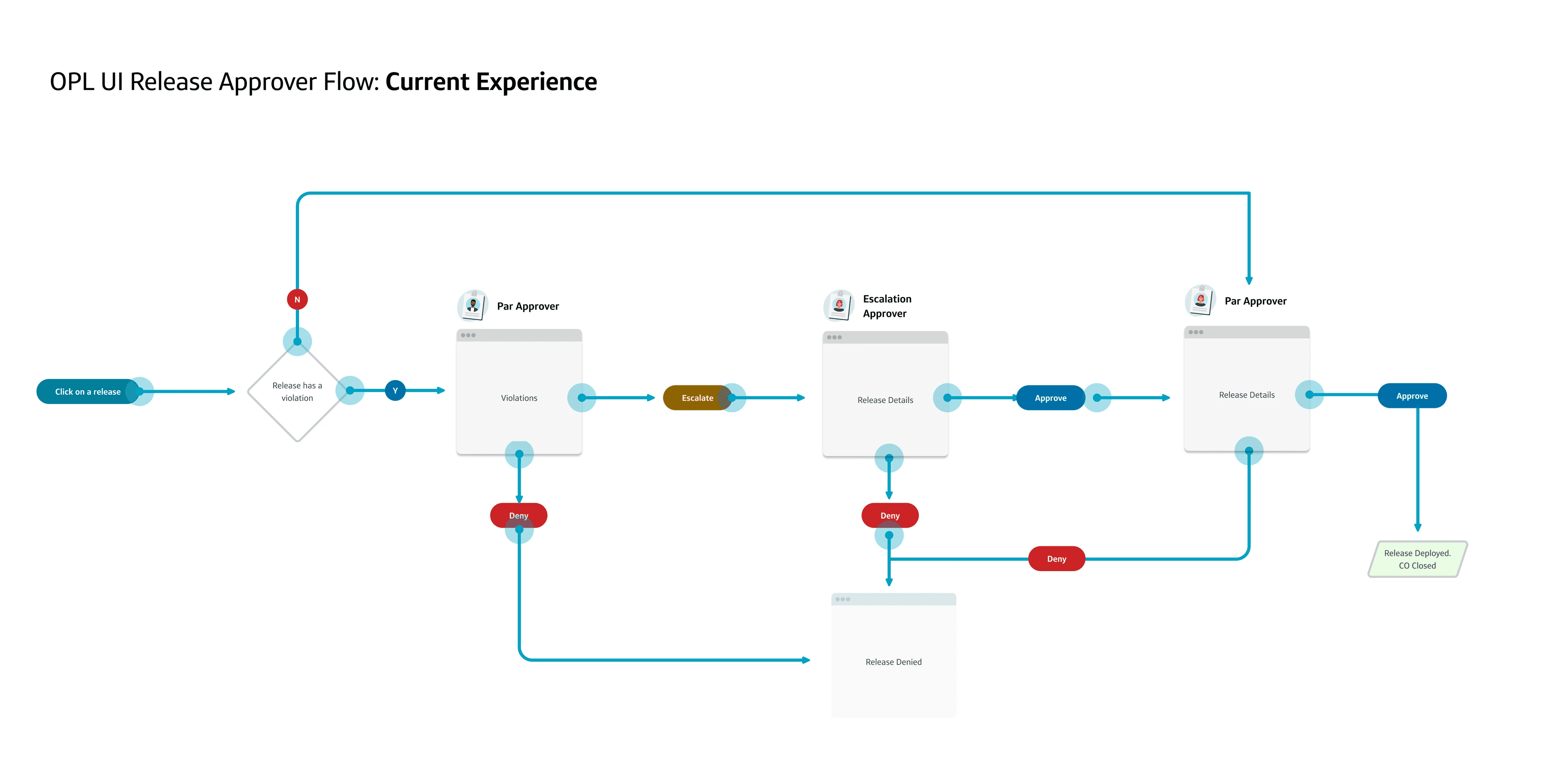
We then refined the screenshots into a more digestable deliverable to help socialize with our partners.
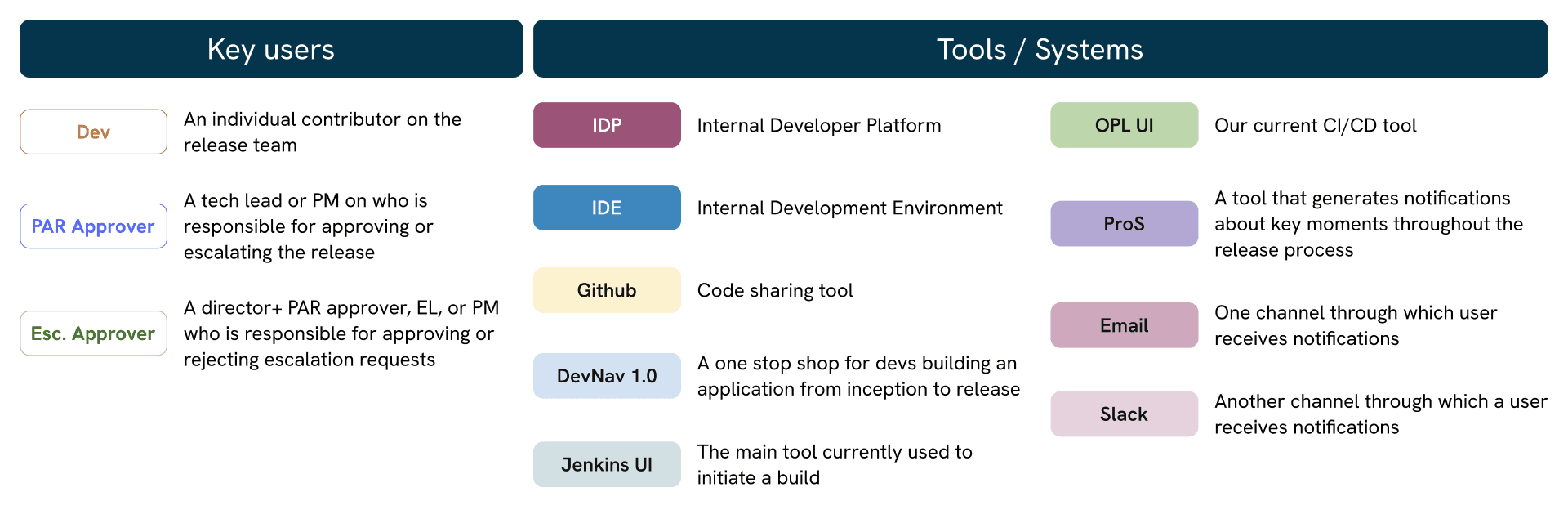
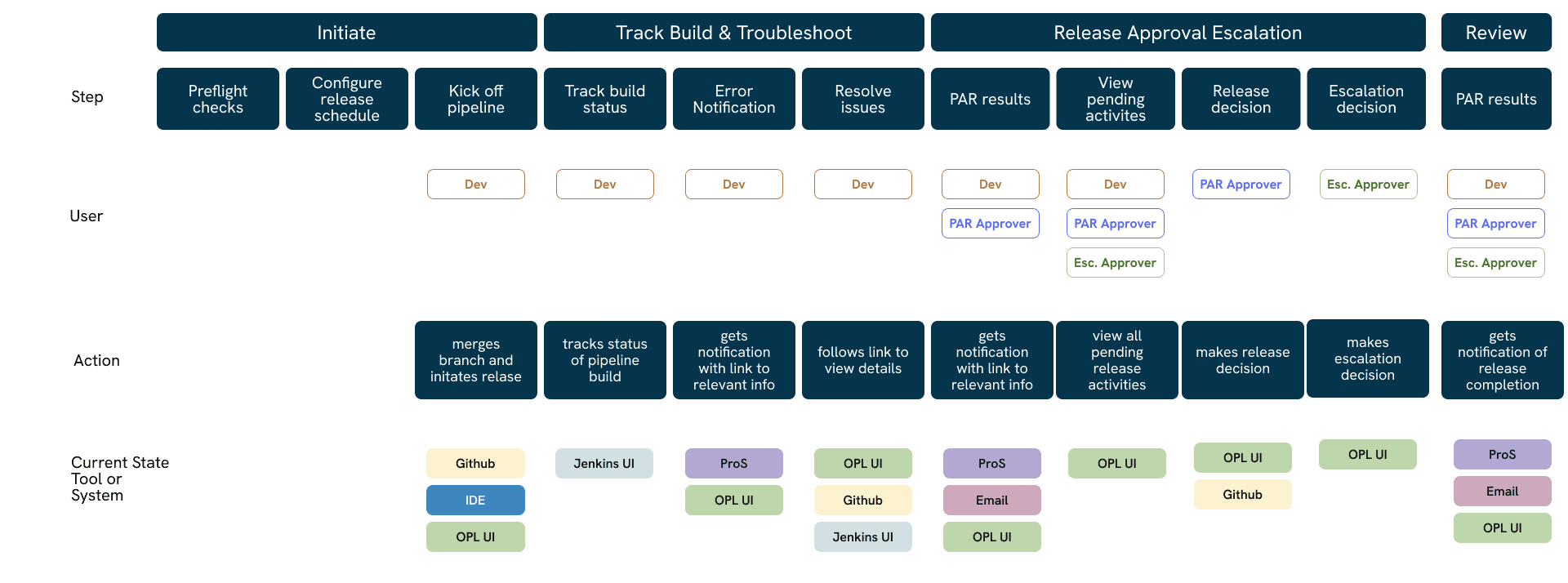
Current State Release Flow: One Pipeline Users
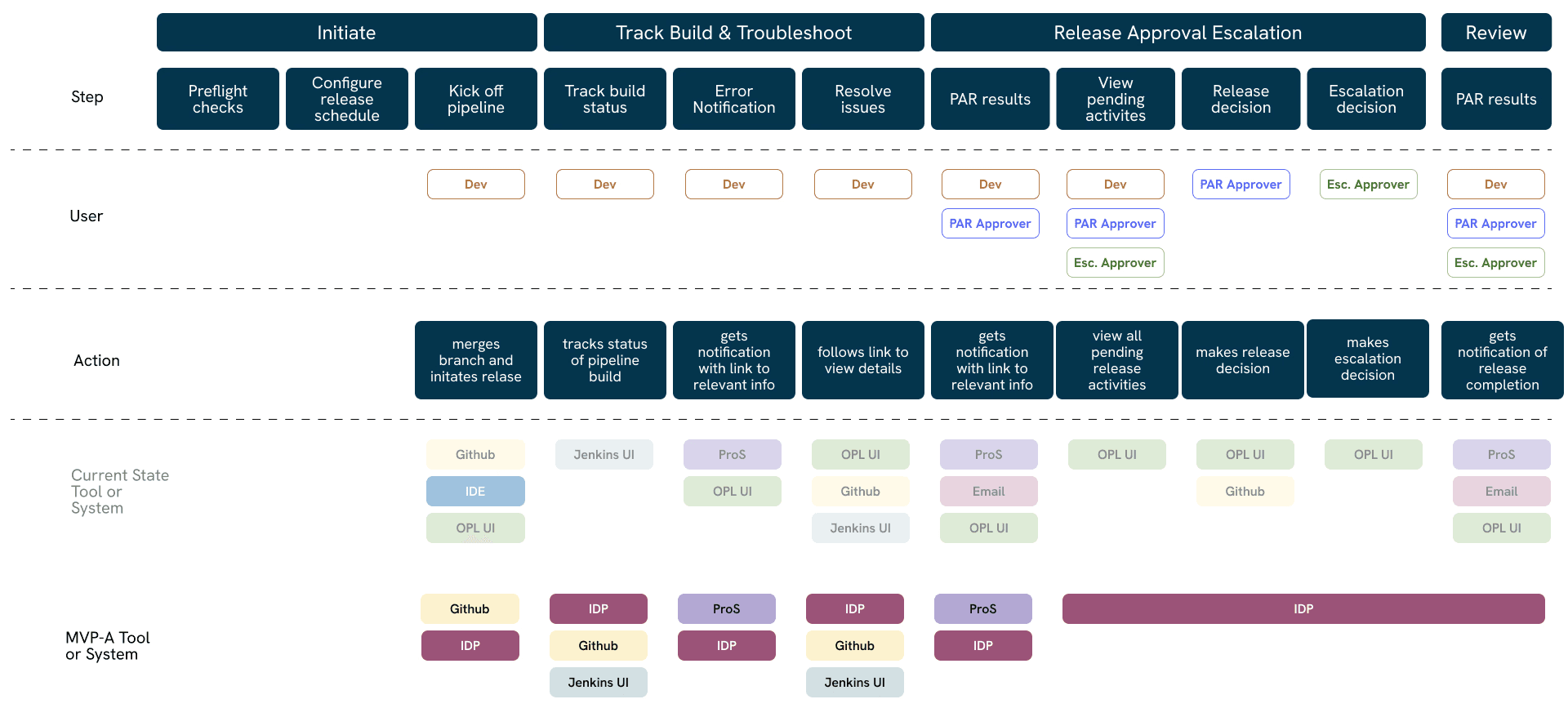
Current State Release Flow vs. MVP: OPL Users
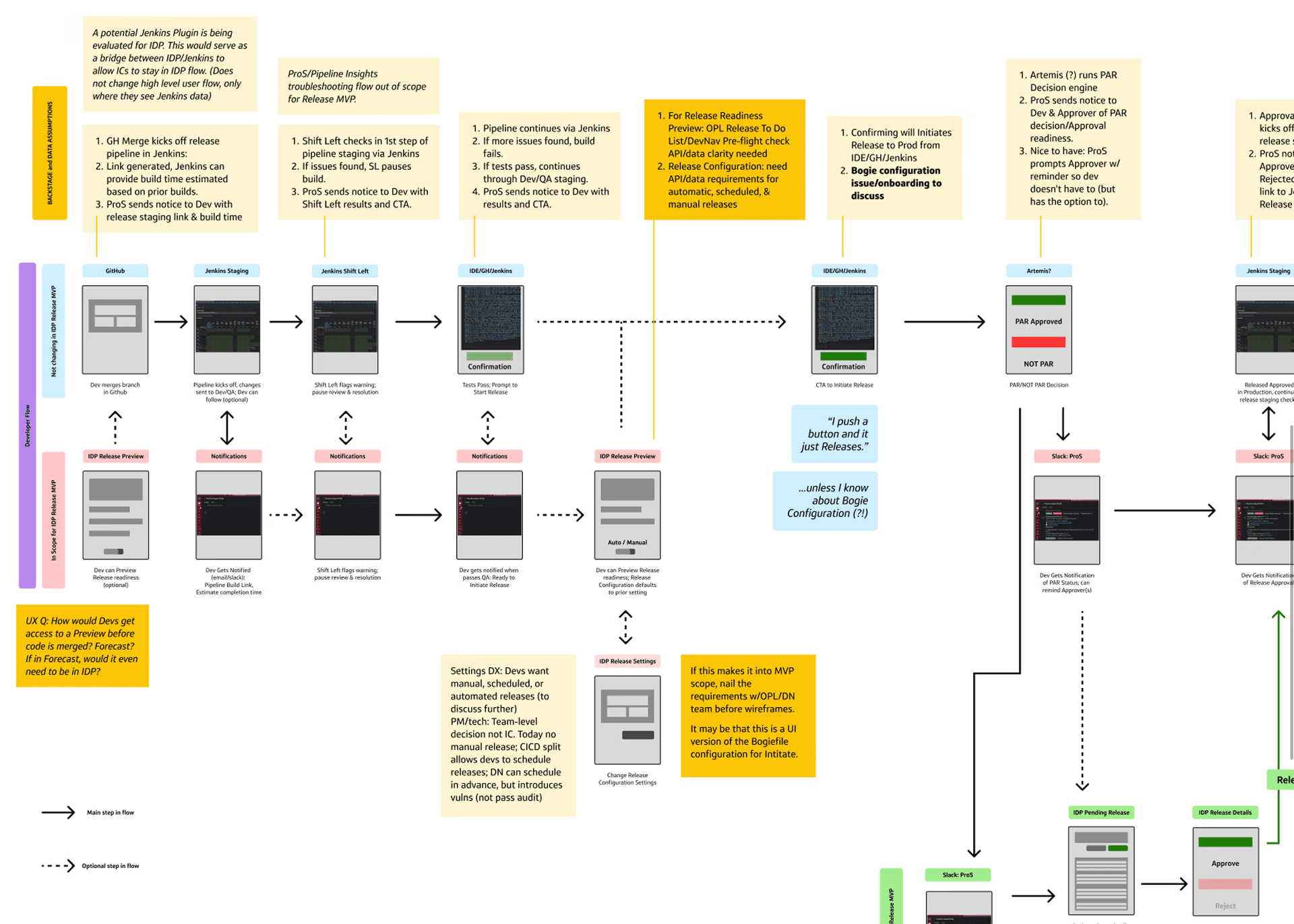
To help ensure we were aware of any edge cases and designing for the ideal experience, I was able to create a detailed wireflow, depicting what goes on at each step.
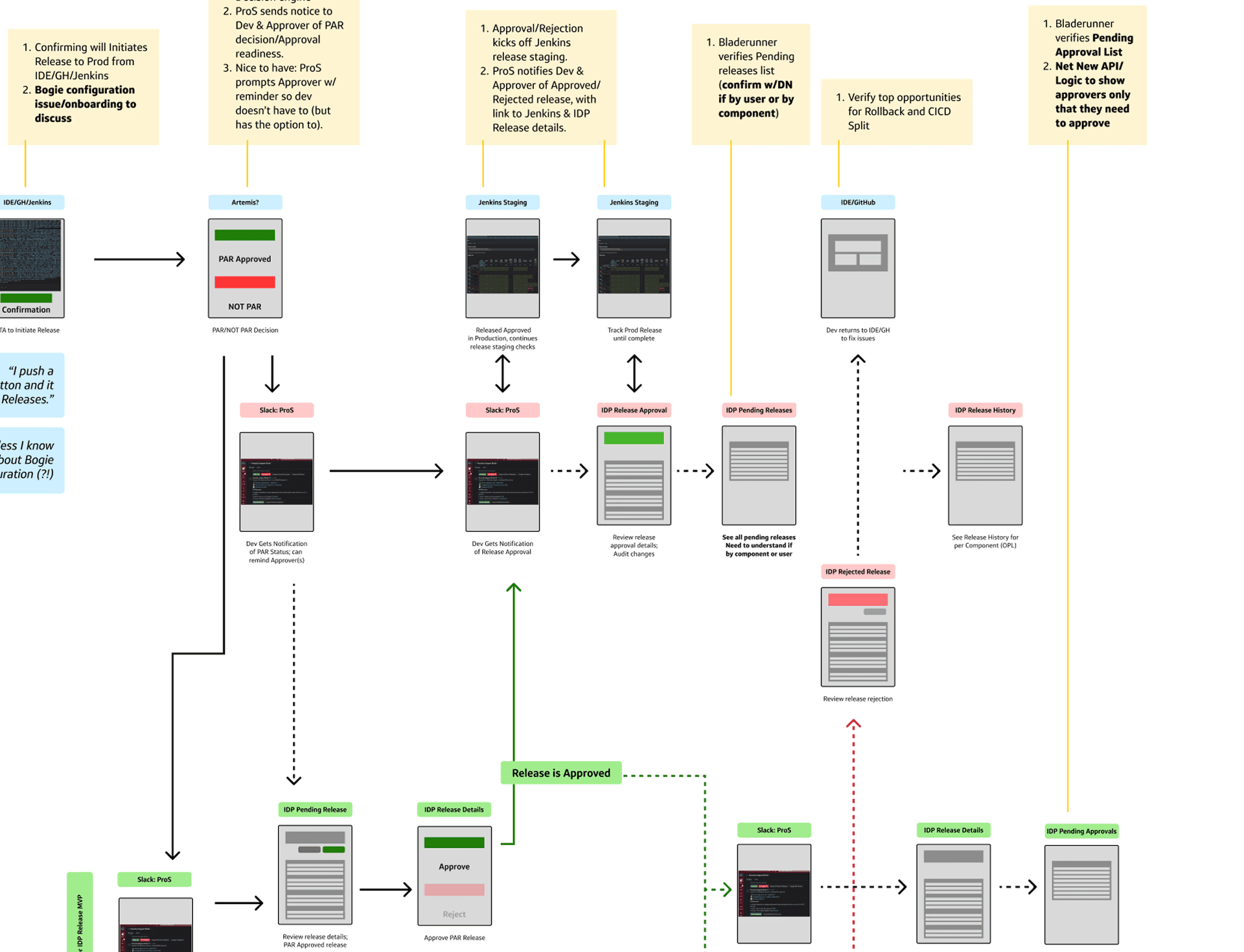
Lo-Fi Wireflow
Jobs-To-Be-Done (JTBD) Validation
We conducted 8, 30 minute Jobs-to-be-done (JTBD) interviews with developers to validate if we were on the right path with regards to the flows us and our engineering and product partners worked on.
JTBD that were validated:
Initiate Release
PROD Release after a developer merges & pre-prod environment deployments
Schedule/Defer a PROD release for alater time
Deploy specific versions
Approve Release
(PAR Approver) approves release request with one click
Notifications of approval request (sent to approvers and team)
(PAR Approver role?) Escalate a release as needed
Track Release
View deployment status into QA, Staging, Prod environment and E/W regions
Notifications on status (sent to approvers and team)
Self Service deployment error/blockers and clear action needed to more forward
Rollback/Forward Release
Select a previous stable build/version to rollback to
Auto Rollback to the last stable build/version
Verify that the rollback was successful via testing
Feature flag on main branch enables roll-forward
Audit/Review Release
Ensure release activity is logged in an accessible table
Ensure the data captured meets Audit requirements
Ideation
While this was out of scope for the beta release, our product and engineering partners were receptive to the designs and could see them being prioritized and implemented during the next PI.
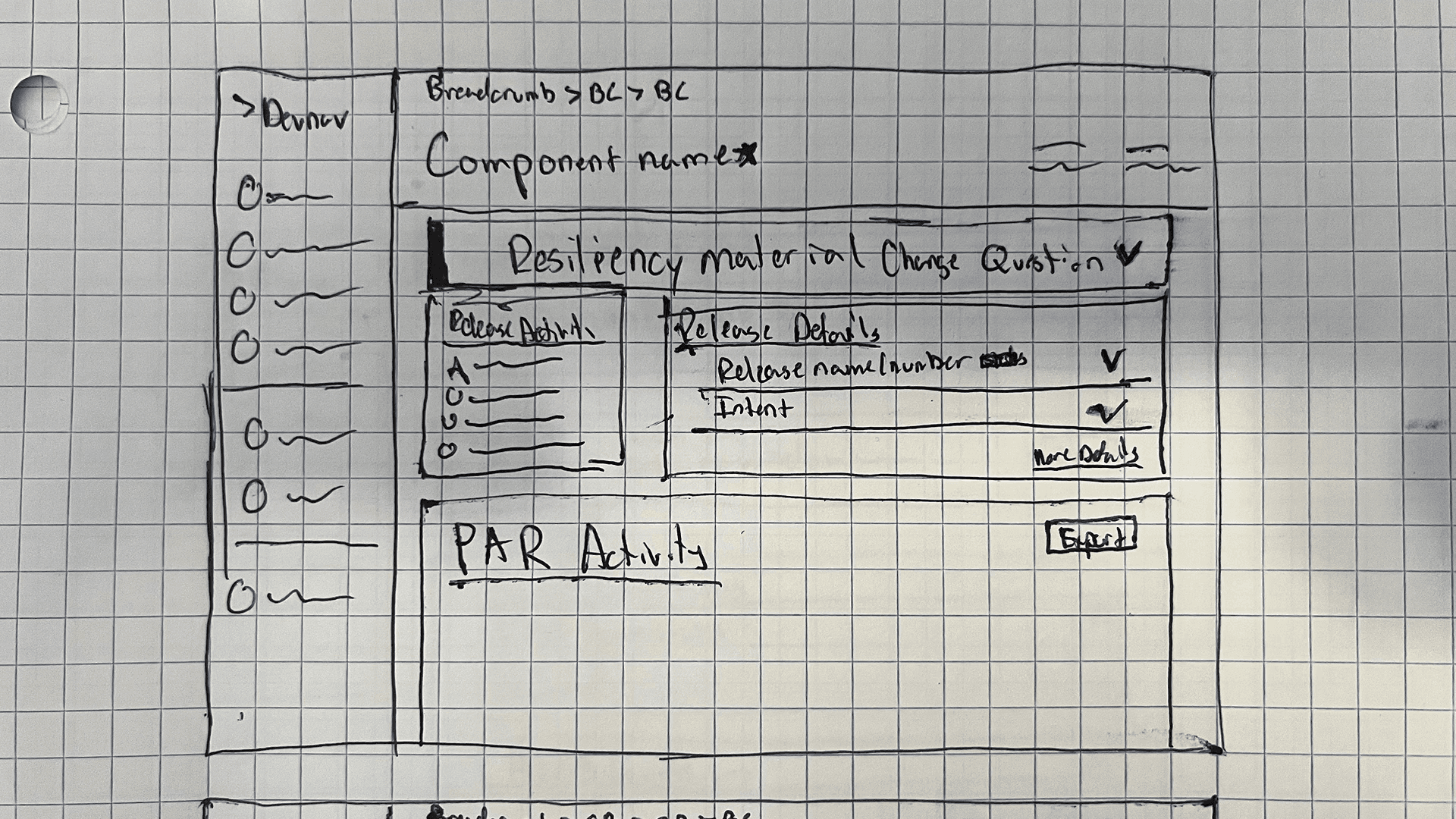
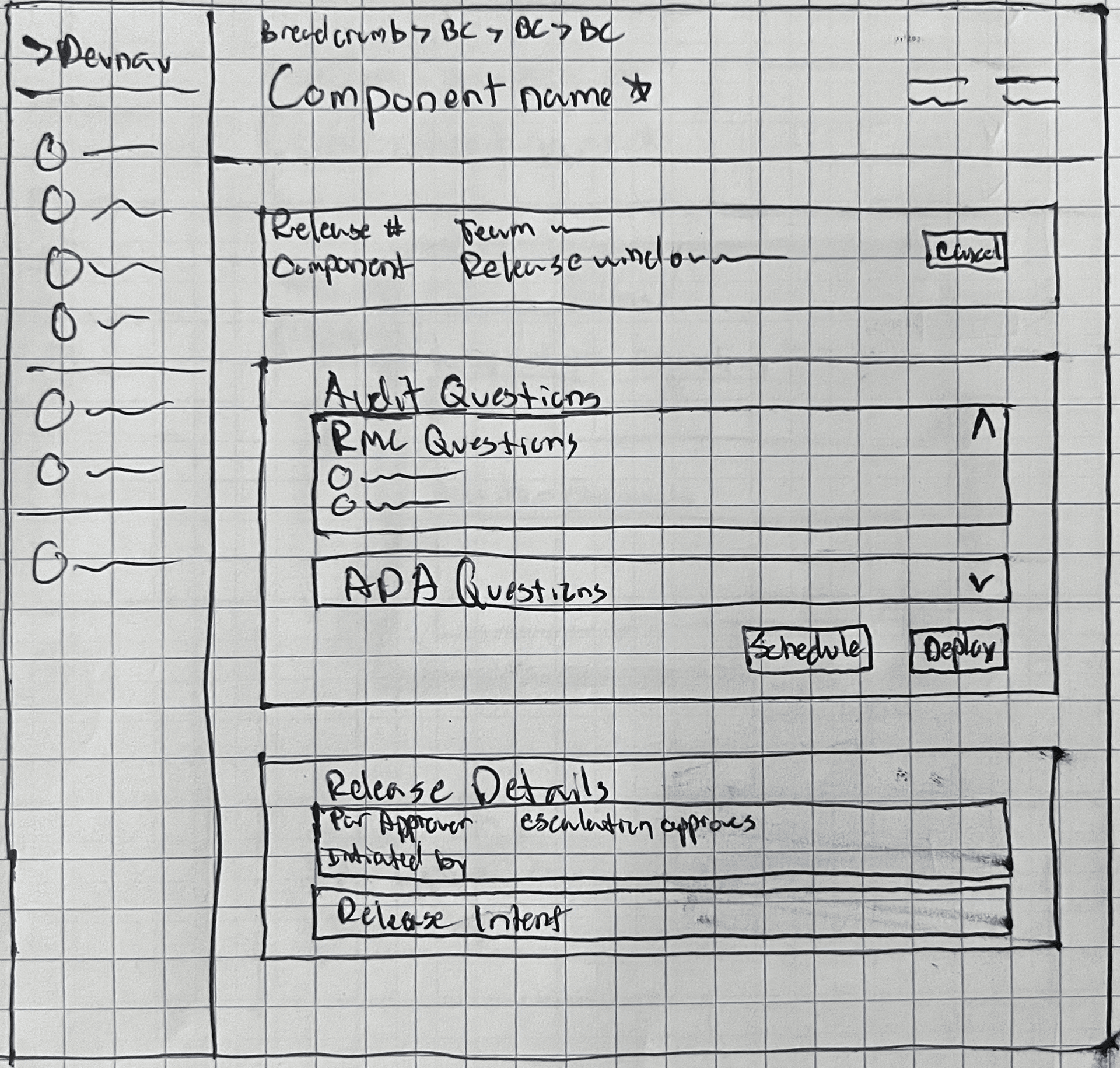
Designing for the Ideal State
While this was out of scope for the beta release, our product and engineering partners were receptive to the designs and could see them being prioritized and implemented during the next PI.
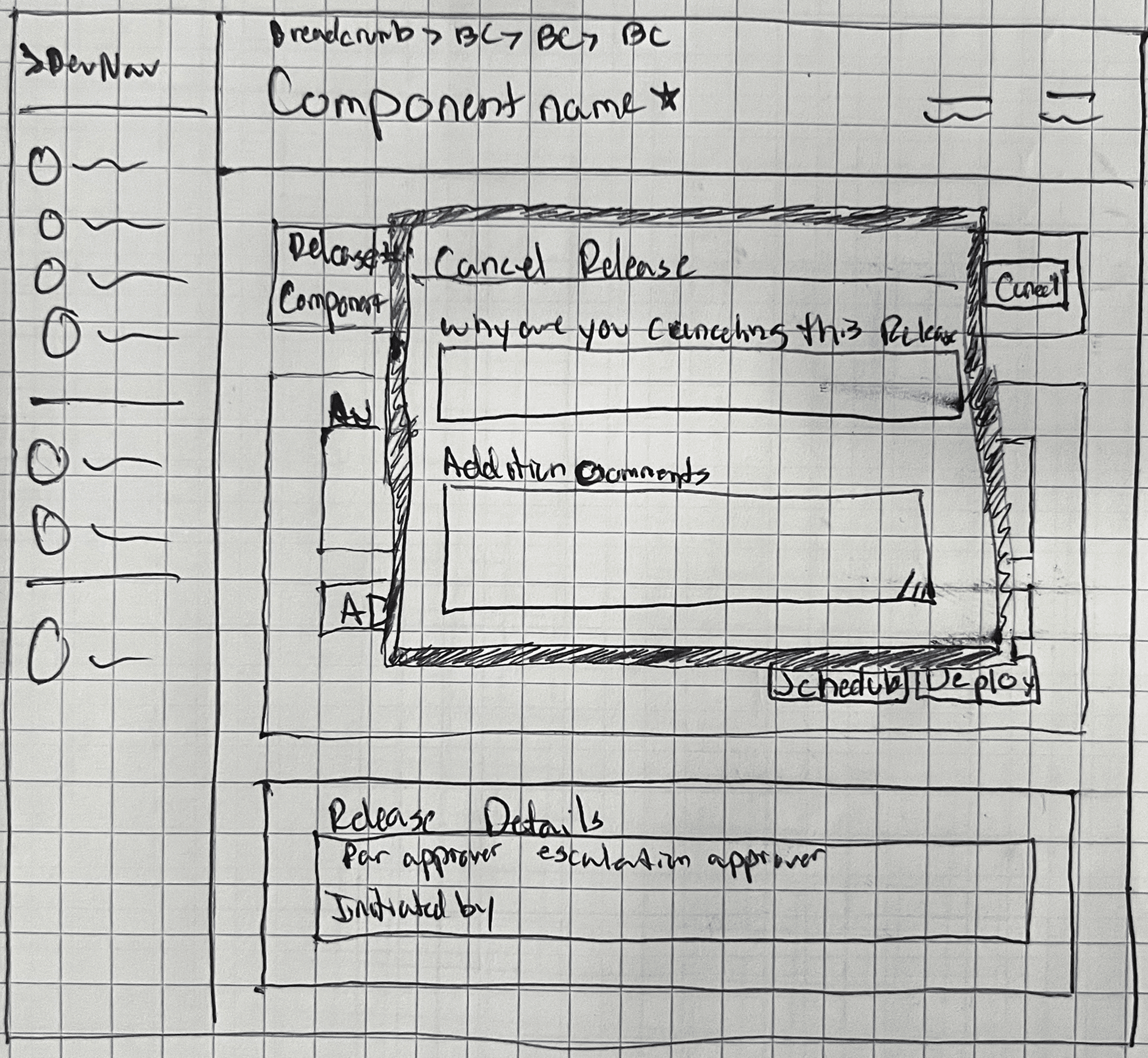
CONCEPT 1
Explored how the experience could be with audit questions being behind a modal. CTAs are high on the page so that the user cannot miss them
Release metadata is present, in front of the user
Release Workflow component is visible, but further down the page
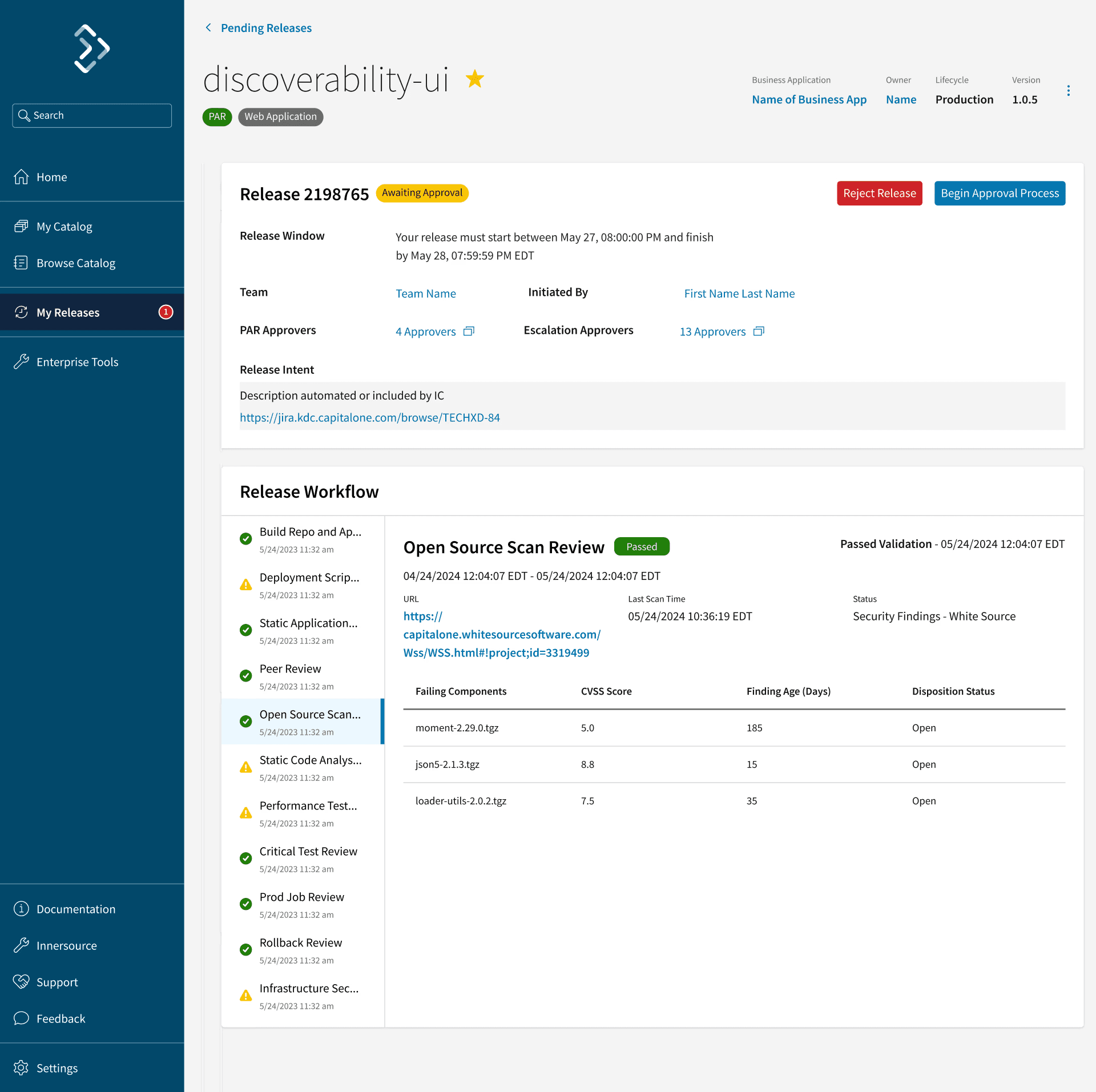
CONCEPT 2
Our product team informed us that the audit questions must live on the page at all times. So I explored how that might look and feel on the UI. I started to explore a release tracker component on within the left most column of the layout, as well as putting secondary metadata within that same column
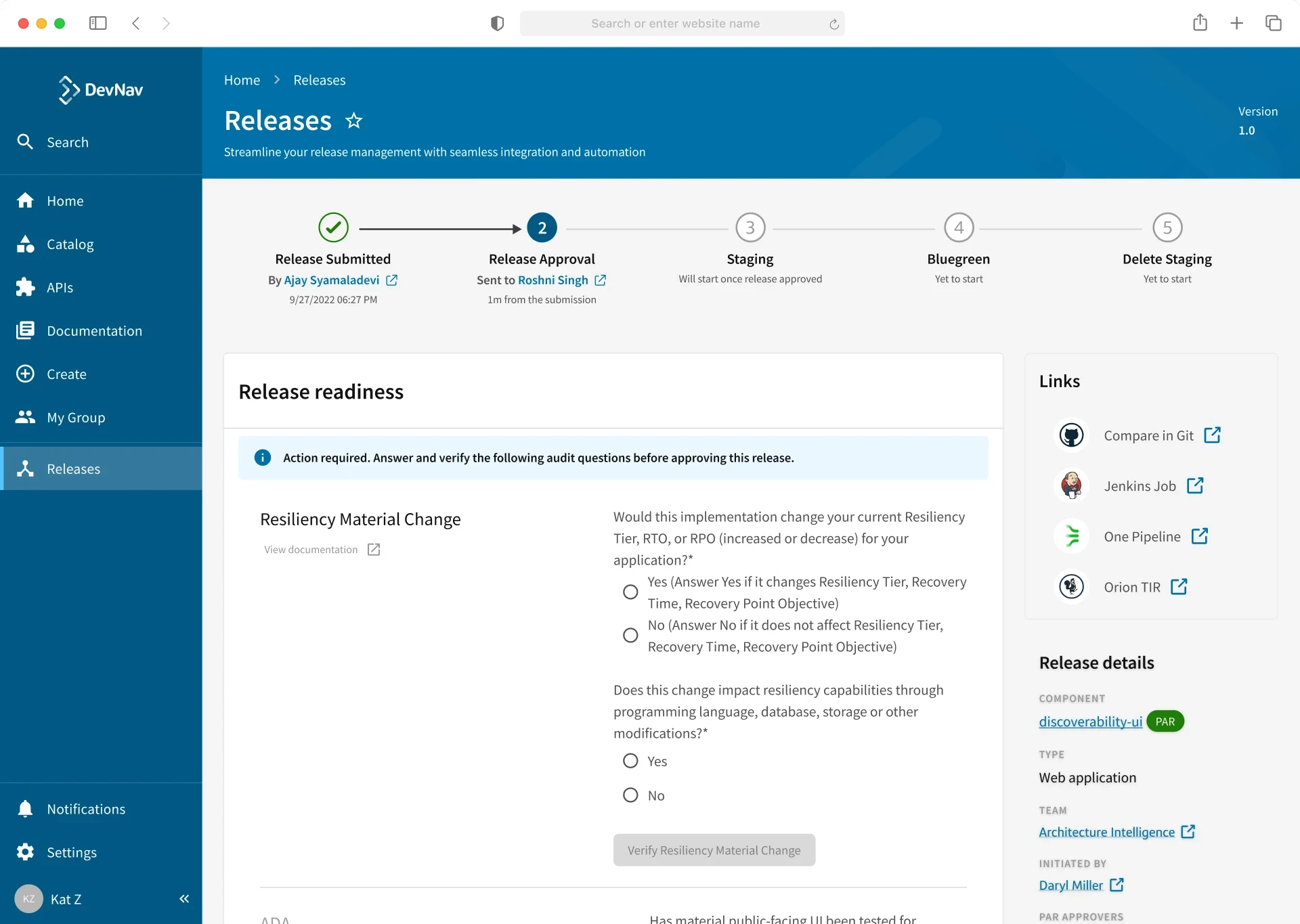
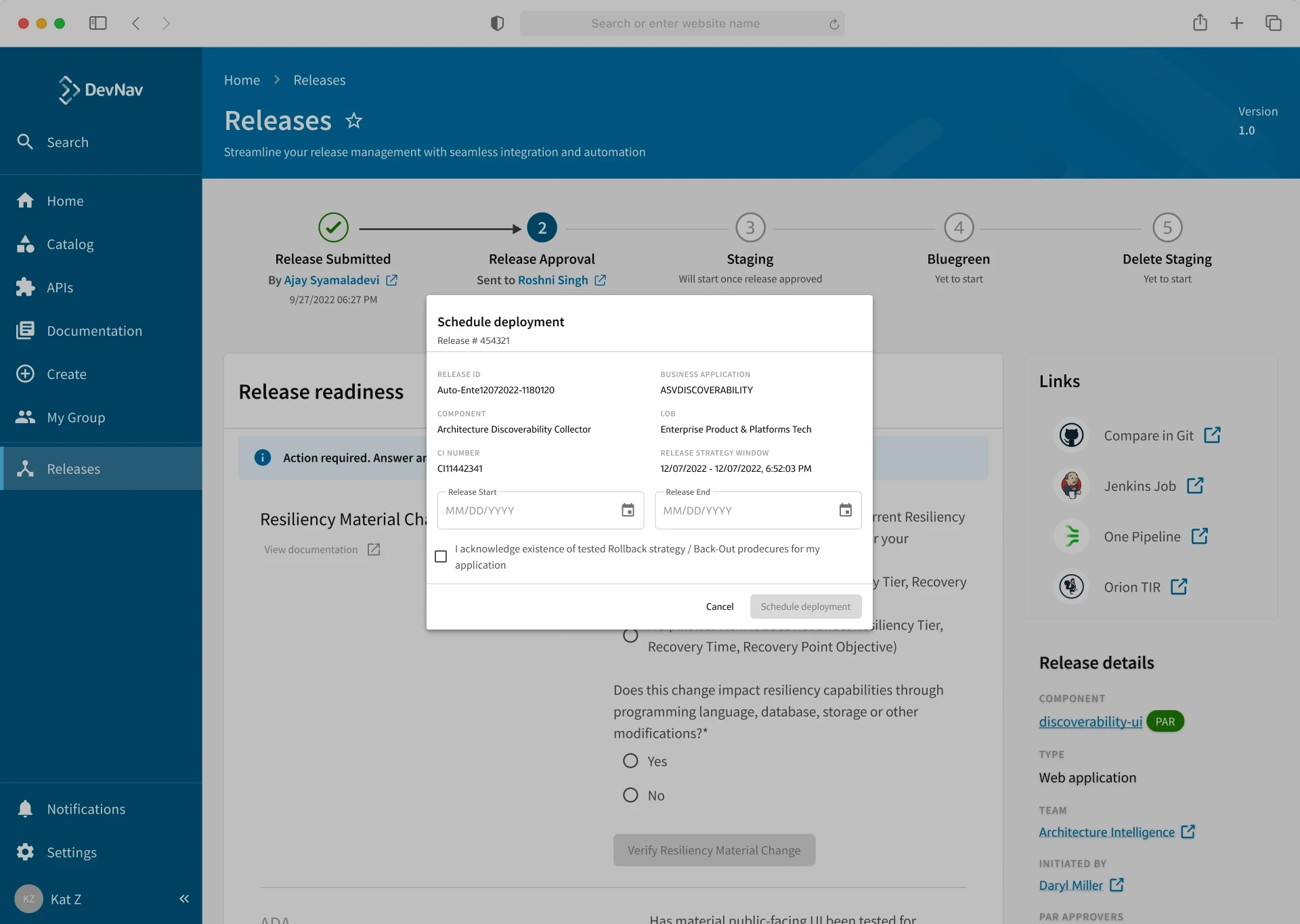
CONCEPT 3/USABILITY & CONCEPT TESTING
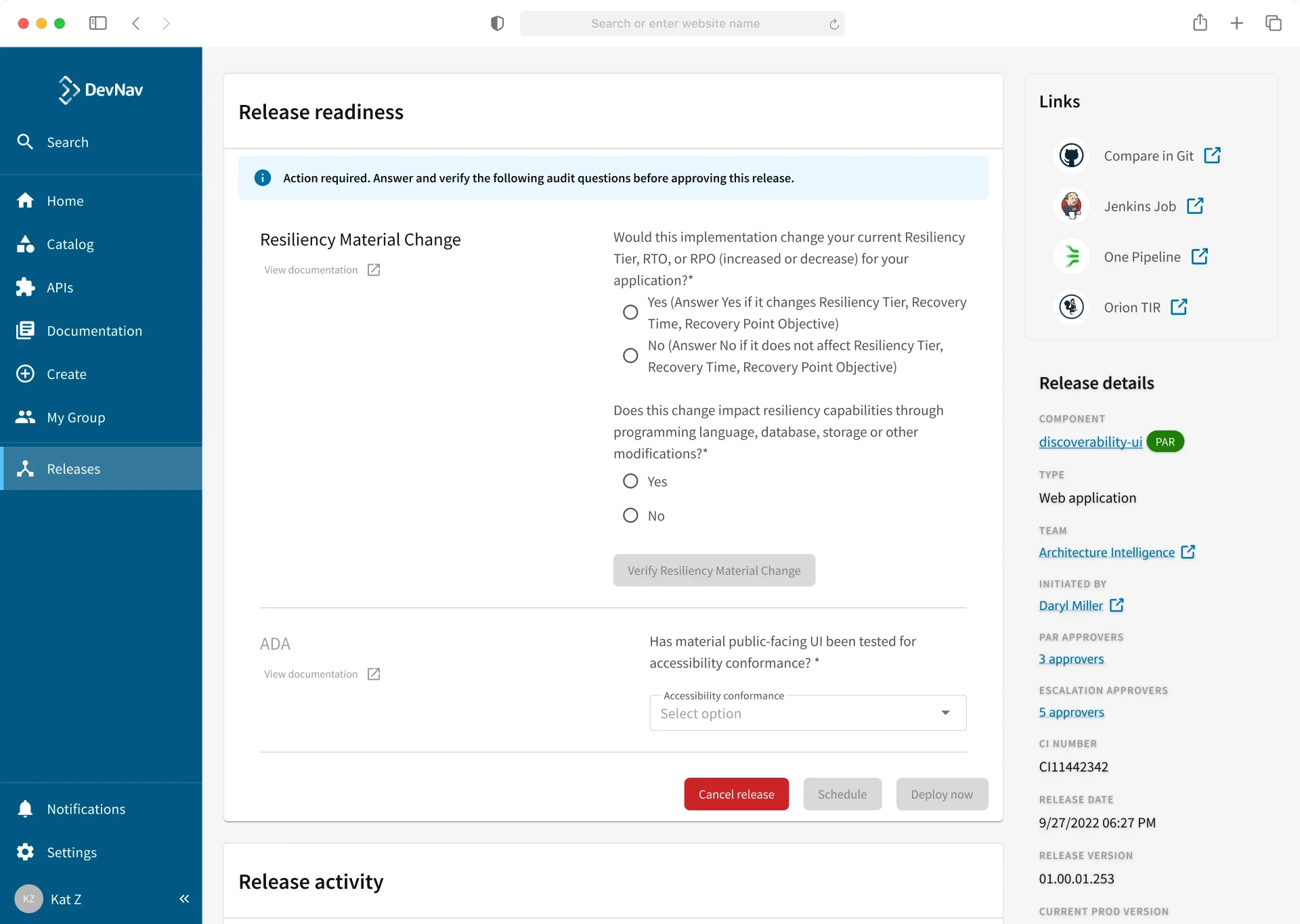
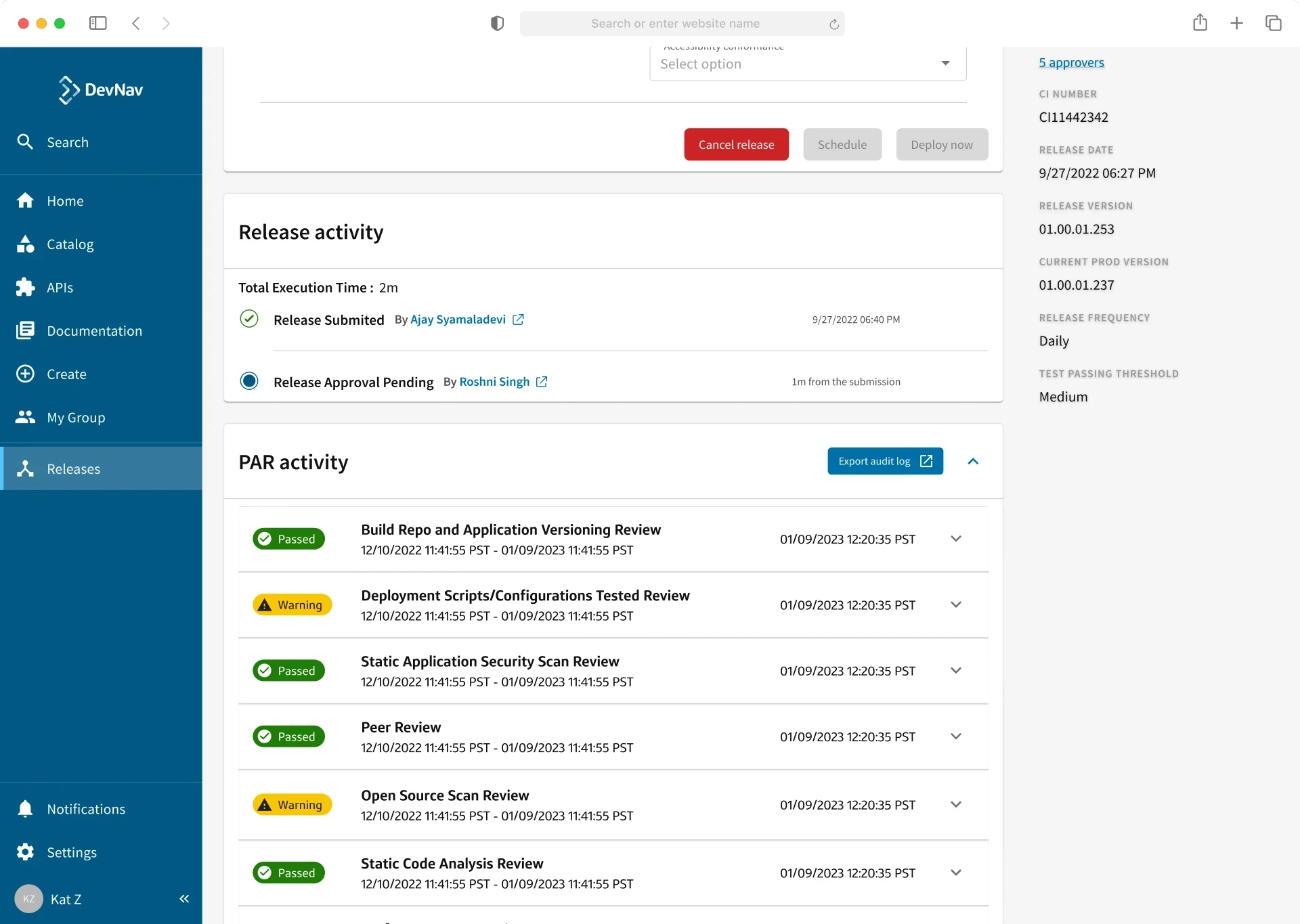
After some refinement with our product partners, we decided to go with the following concept. We used the a 9:3 layout with the approach of presenting the main/actions needed content in the middle of the page while the secondary/additional meta data is within the adjacent, smaller column.
To help ensure we were aware of any edge cases and designing for the ideal experience, I was able to create a detailed wireflow, depicting what goes on at each step.
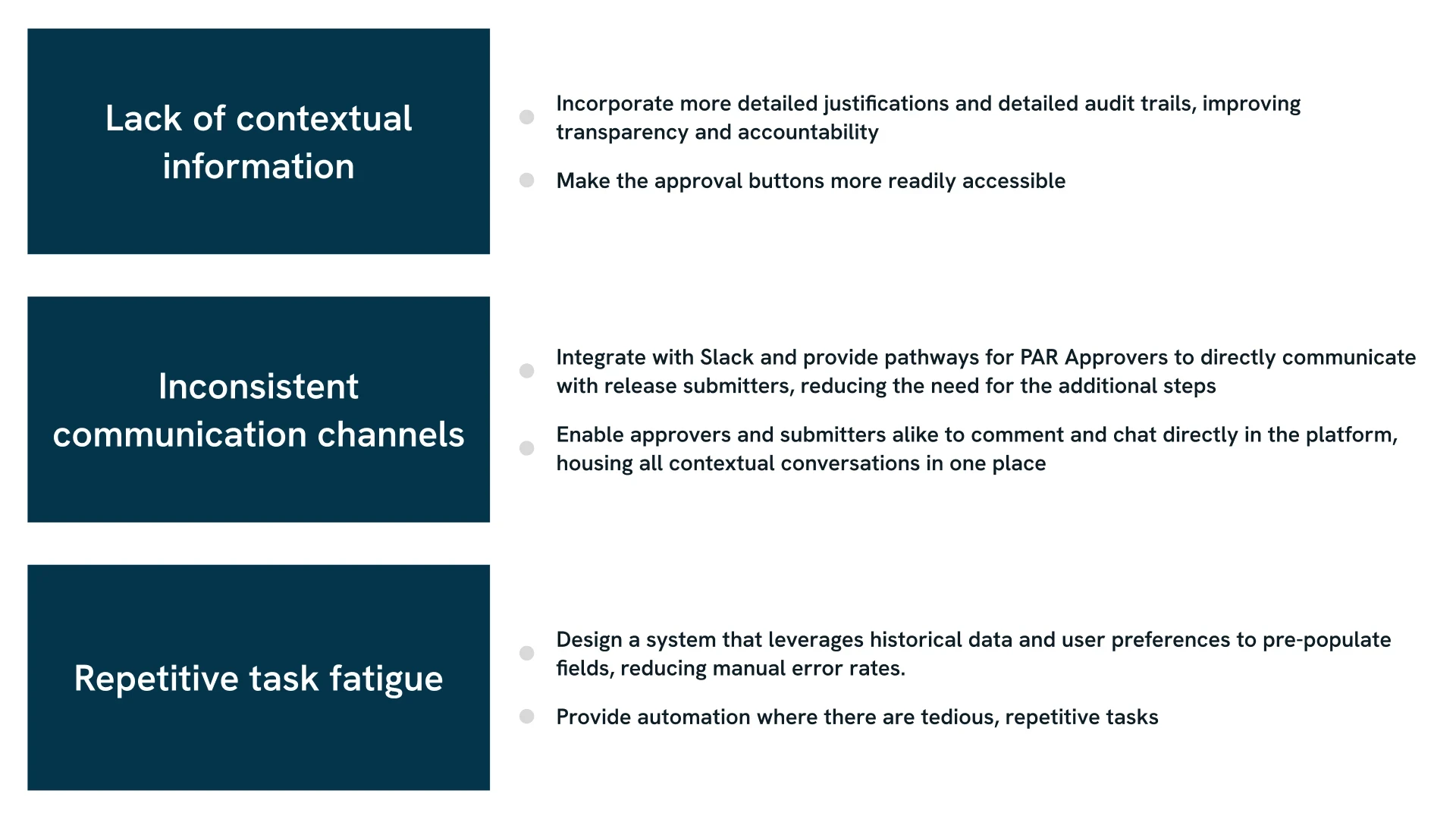
Clear Callouts for Improvement
While this was out of scope for the beta release, our product and engineering partners were receptive to the designs and could see them being prioritized and implemented during the next PI.
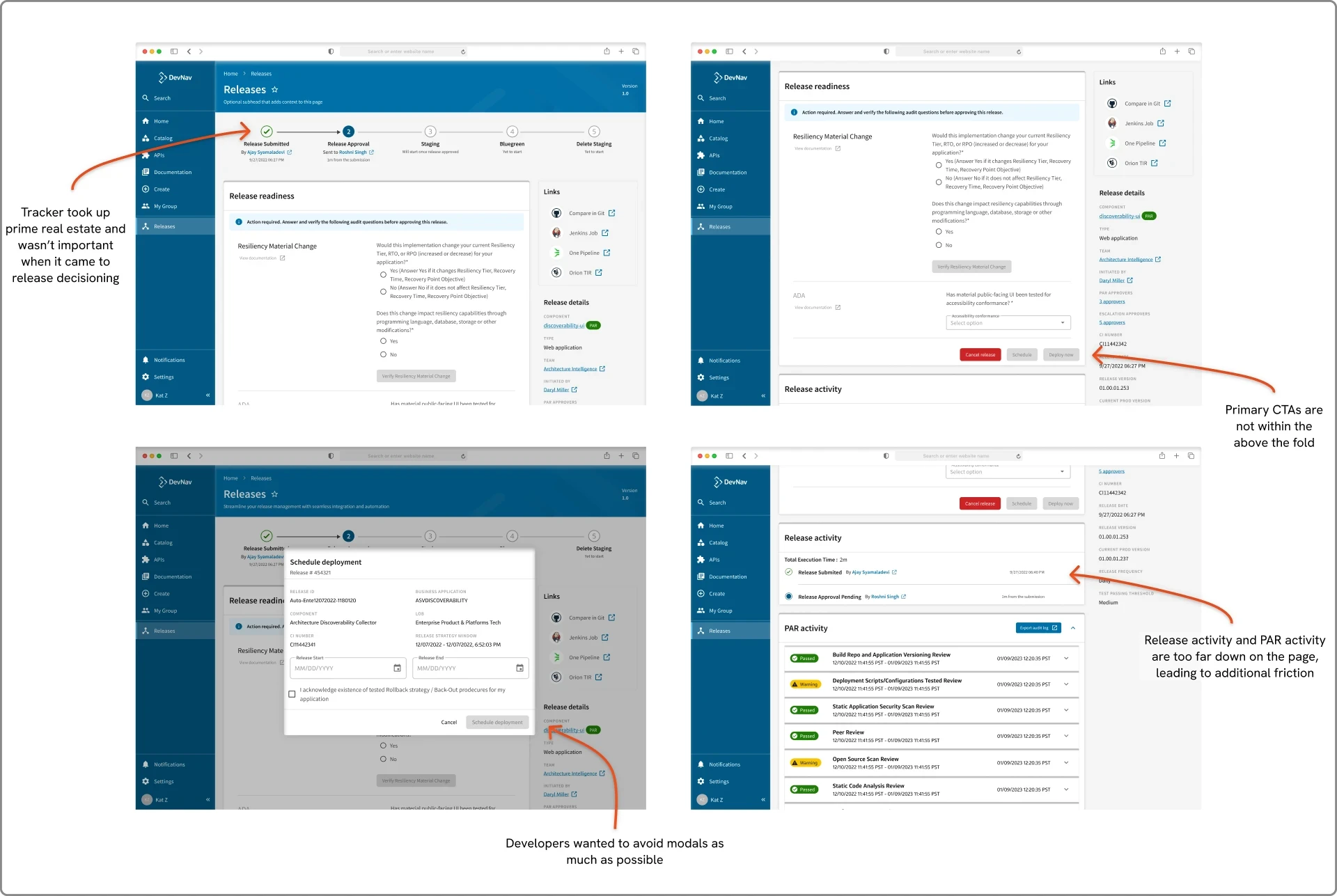
Improving the Design Based on Feedback and Given Direction
While this was out of scope for the beta release, our product and engineering partners were receptive to the designs and could see them being prioritized and implemented during the next PI.
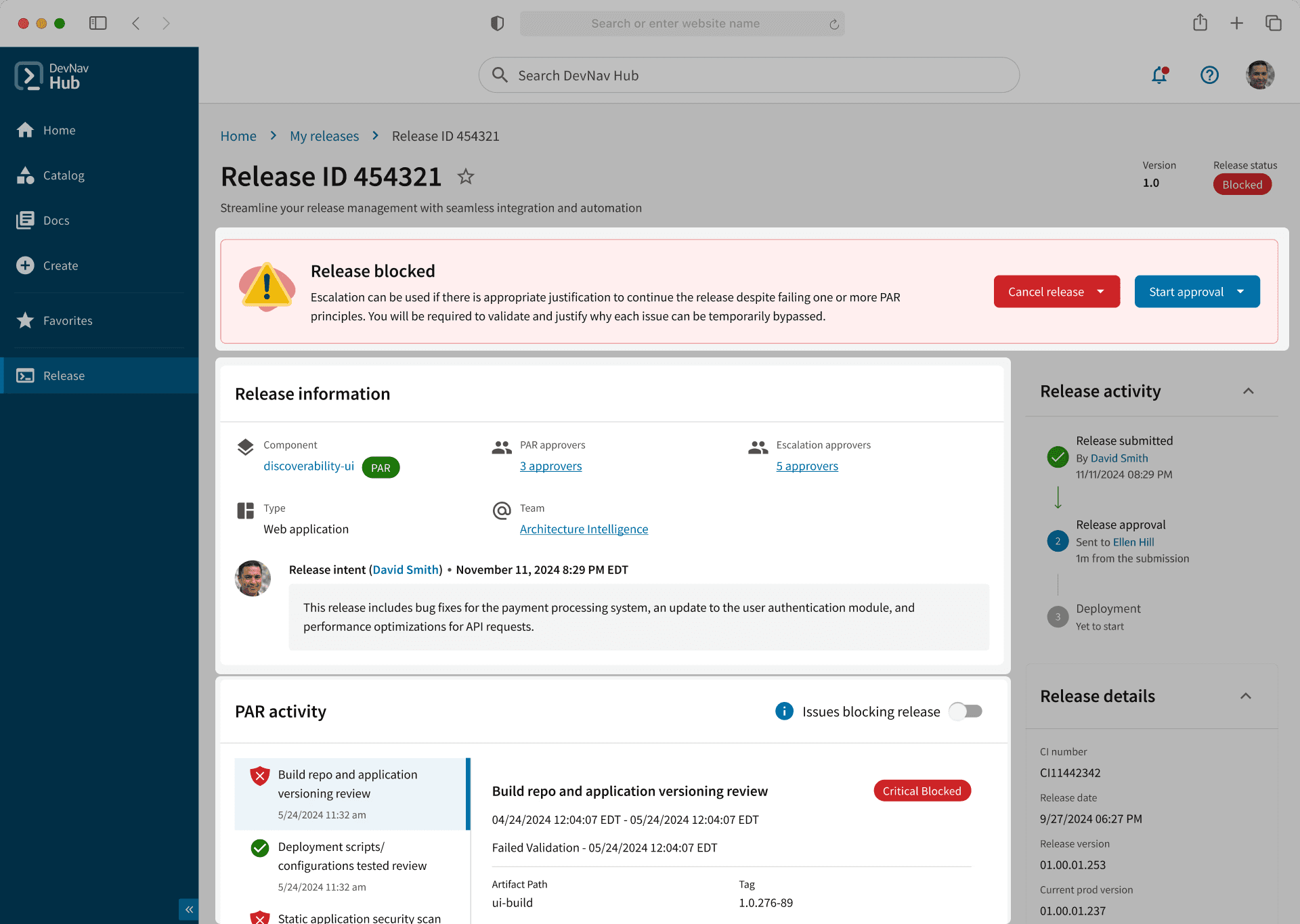
Better Contextual Information
Users expressed the need for systems that adapt to their workflows and provide contextually relevant information
Alert at the top of the page thats contextual to the user's role (PAR Approver, ESC Approver, and Dev). This puts the CTAs front and center
PAR activity and release information now higher and detailed justification providing transparency and accountability


Consistent Communication Channels
Users are currently relying on external tools like Slack and email to supplement the IDP's lack of communication features
Developers spend a lot of time in slack for communicating and troubleshooting issues. Added buttons that allow approvers to immediately start up conversations with the release submitte
Bulk Approve Multiple Releases
Users frequently operate on "autopilot" due to the repetitve nature of their tasks, such as release approvals.
Designed a feature where PAR approvers can quickly approve multiple releases without friction.
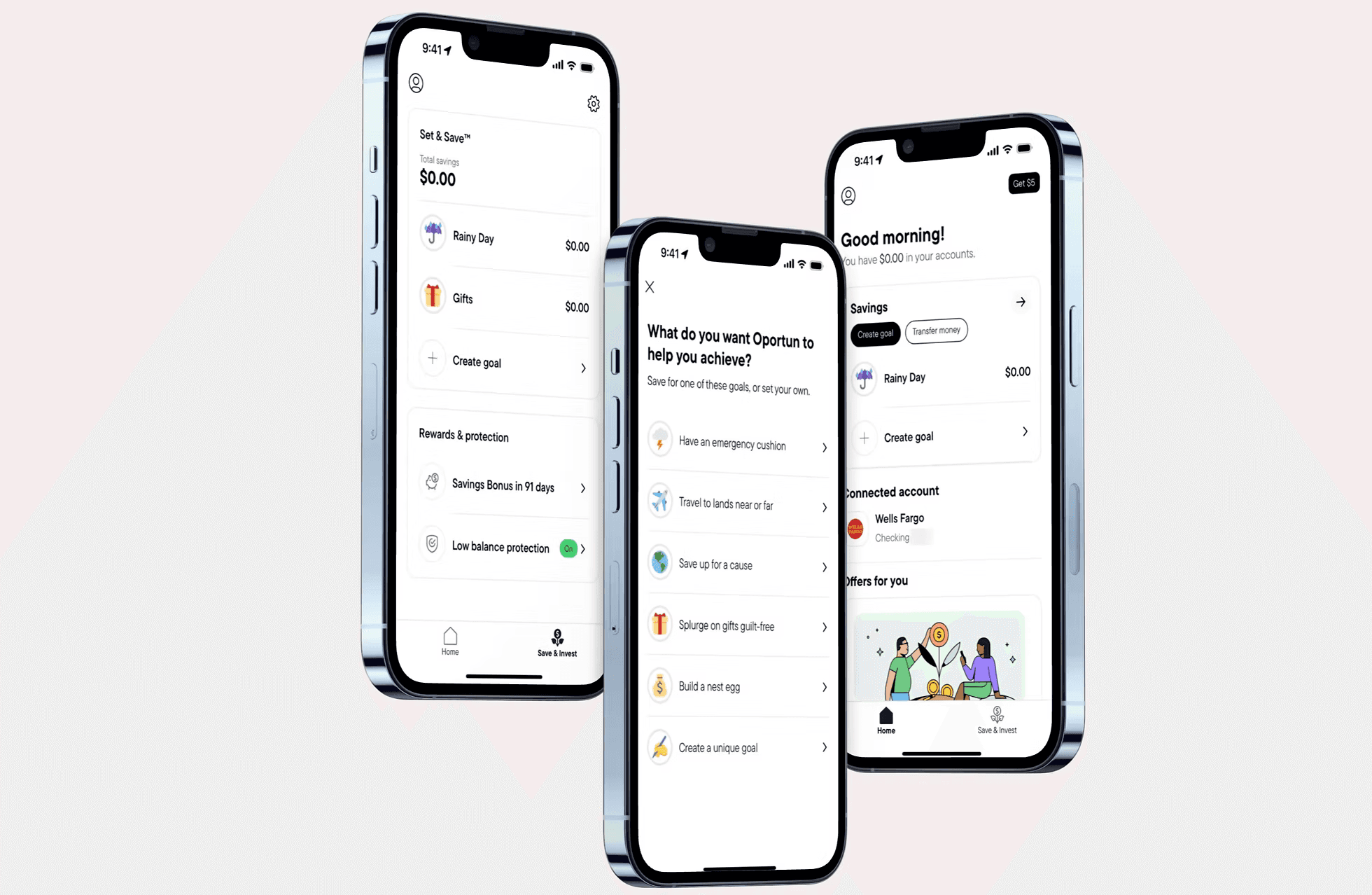
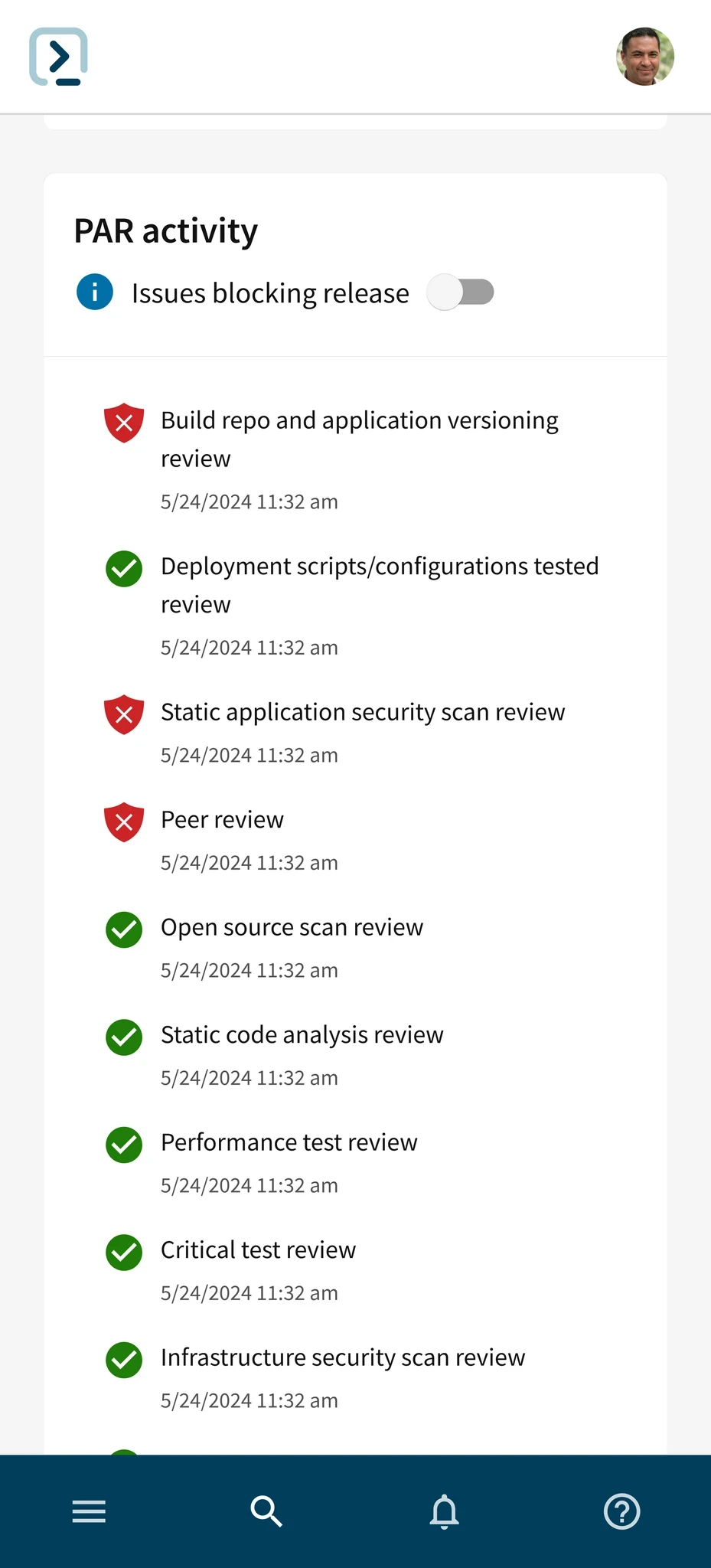
Expanding the Scope to Mobile
While this was out of scope for the beta release, our product and engineering partners were receptive to the designs and could see them being prioritized and implemented during the next PI.
While this was out of scope for the beta release, our product and engineering partners were receptive to the designs and could see them being prioritized and implemented during the next PI.
Measuring Success
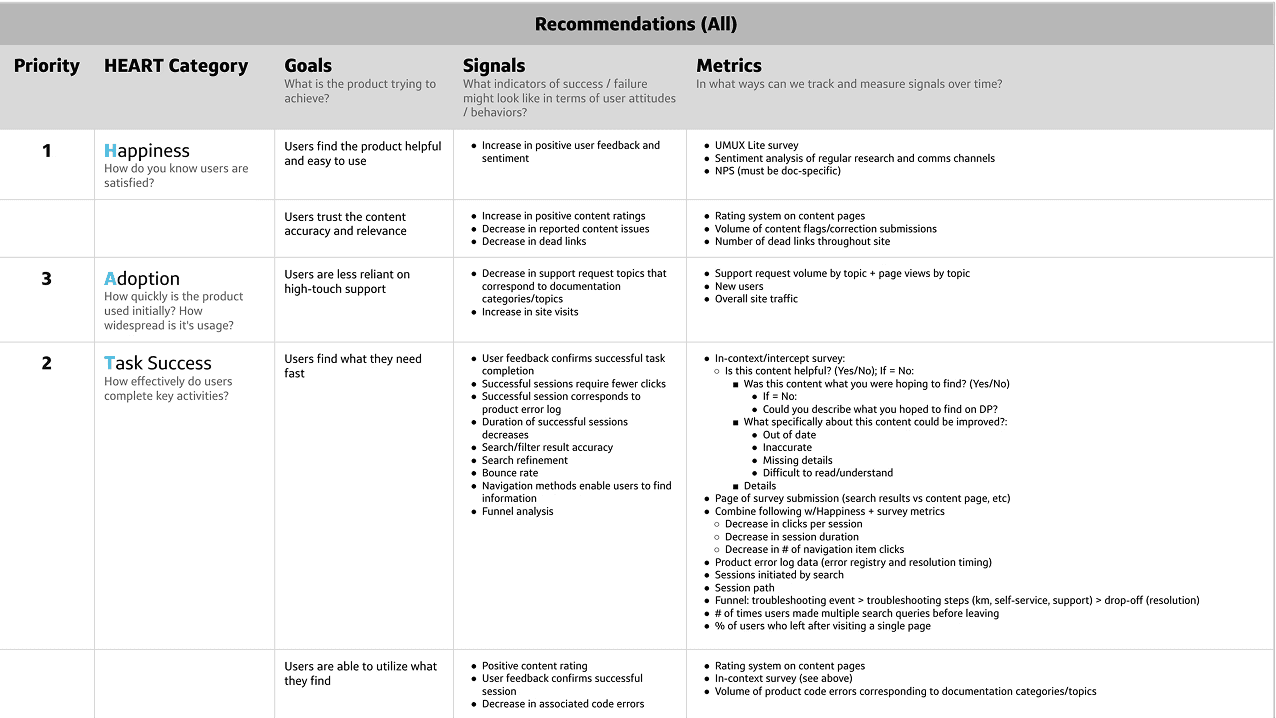
In order to determine if our work was impactful, we needed a way to determine how well our design changes are impacting the user. While tracking user metrics, we also needed to be sure we were helping the business succeed as well.
The primary OKR that our business partners are trying to meet with this initiative is to reduce the time spent in deployment by 7%
For the user metrics, we used our established Google HEART (HAT in our case) framework as our foundation. Our internal user tracking software would not be integrated into the IDP for the closed beta, so we were limited on the user metrics we could collect. We had to rely on the UMUX-lite metrics, NPS, and surveys.
The NPS will help us gather overall user satisfaction and qualitative feedback if we decide to ask
The UMUX-lite will help us gather data on overall usability and task effectiveness, helping us understand how well the product is meeting our user's expectations.
Not Everything Can Make it Into the MVP
Prioritize High Leverage Items
There was a lot of work that needed to be done, but it was important to prioritize items that the enterprise needs rather than lower impact features.
It's Okay to be Flexible
There were numerous pivots and what I like to call "fire drill designs" which shortened or lengthened timelines based on needs and constraints.
Speak to users throughout the design process
Many people believe you only talk to your users at the start, however, we were able to tackle real problems due to constant developer feedback
Scalability is Ideal
We were able to contribute a few components back to the IDP design system, enabling development teams to build with less overhead.